
Category: Longform
You are viewing all posts from this category, beginning with the most recent.
I’m not looking to change my iPad, but…
The iPad event is today. I’m interested to see what apple brings. Mine is six years old and apart from a pixel burn in the screen, it’s great. Okay, it lags a bit more than it used to and the battery life is no where near what it once was, but it still does all I need. That said, I am really intrigued what’s coming especially as this could be my next iPad. And if not, it means the current, amazing iPads (with wireless charging Apple Pencils) will come down in price. Win win win.
The power of knowing what you want
A few years back I read a terrible self-help book. It was one I’d never buy for myself which is probably why I didn’t like it much. BUT, it did have one useful idea.
Know exactly what you want and don’t water it down.
It’s been on my mind recently because I’ve been reading a far better business book — “The Coaching Habit” by Michael Bungay Stanier.
While it can be summarised in one sentence — give less advice, ask more questions, let the other person speak more — it also has a ton of value inside and one of the biggest is the question
What do you really want here?
Admitting what we want
Most of the time,
- we don’t know what we really want
- when we do know, it’s the surface level desire
- and we prevent ourselves from knowing because we are afraid to say what we actually want
This makes us discuss ideas or solutions that don’t actually get to the core of what we want. When we can admit what we want — even when we feel like it’s selfish, impossible, or “not what people like us do” — we can find real solutions.
Those may mean compromises including ones that consider those factors, but they may not too. When we are clear about what we really want, it makes it a lot easier to make appropriate compromises and know when we shouldn’t.
Here’s a simple example
You might say “I want a more managerial role” and so gun for a promotion. But when you get down to what you really want, it’s more free time, but you’ve been conditioned to think 1. a more senior role is easier (The reverse can be equally true). 2. more money = more free time (but it can come with more overhead). 3. The more senior your role, the more likely you need to respond outside regular hours.
The better solution might be to go freelance, consult, or even take a lower paid, more hands on position but with more free time.
Now, that might be you, but it might not be you too. If you see that example and accept the conclusions without knowing what you really want, that’s a recipe for disaster.
What do I really want?
This is the part of the post where I should give a personal example to help illustrate it, but I can’t do that so easily.
You see, I’m not really sure yet.
But I have a new note in my obsidian vault and I’m using the 5 why’s technique to help dig deeper.
Maybe you just need a piece of paper, but I recommend you give it a go.
A change to my morning routine
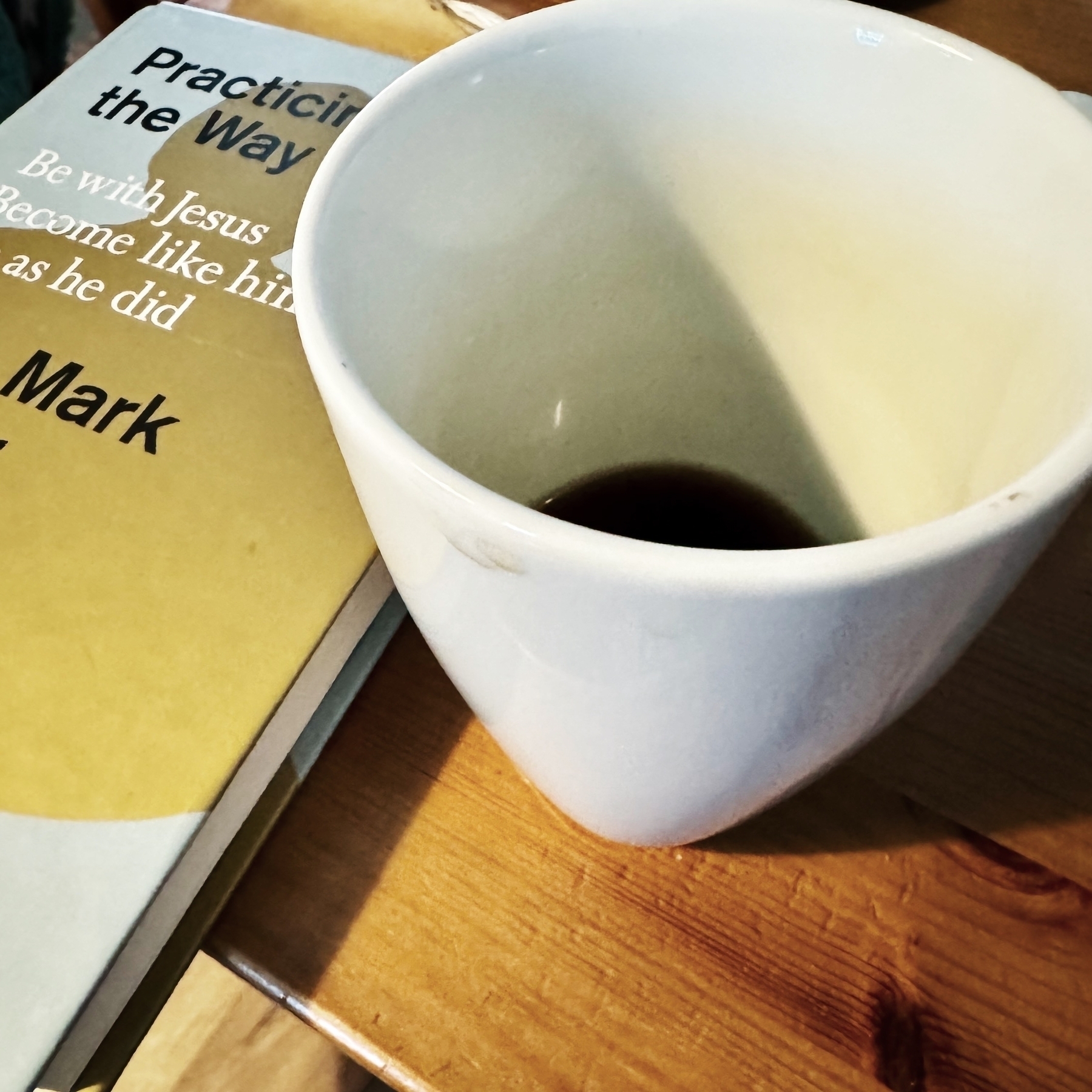
For the longest time I’ve put coffee on first thing in the morning; not anymore. We got coffee beans not grinds recently and — combined with the changing on the clocks that have made my kids finally not wake me up at 5 every. single. morning — I now have a little pause first thing. So I grab a glass of water, do a meditative prayer, and then read while hand grinding my coffee. The coffee is so much better than the store ground or when we used our blender to grind it.
I’m extremely grateful to regain this moment of silenced and stillness at the start of the day. I’ve been struggling with feeling so rushed but starting slowly is the perfect cure.
A new, partially recycled iPhone case
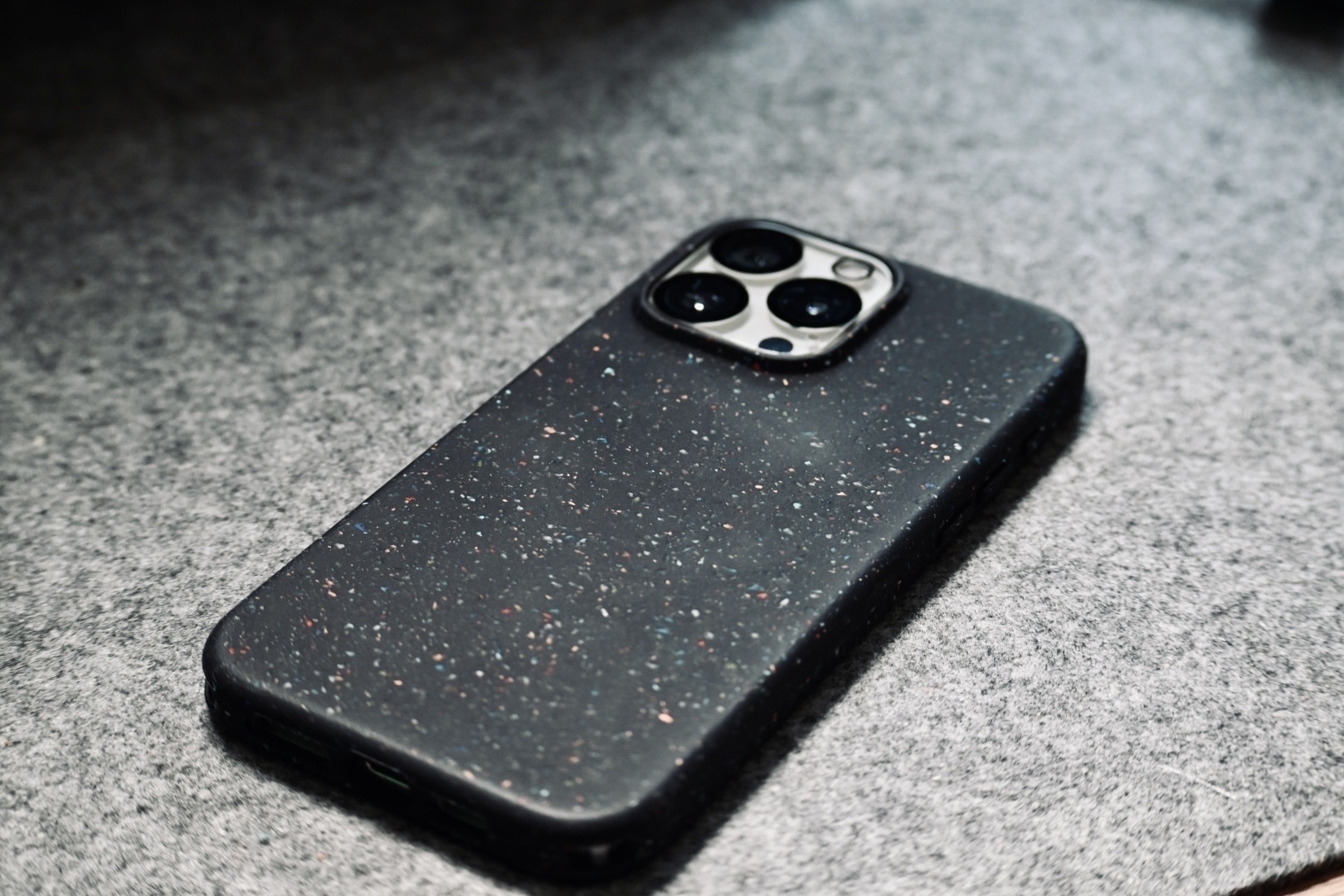
When I got my new iPhone last year I picked up a dirt cheap case of Amazon for some basic protection. It was fine, but not attractive and I didn’t realise how much it reduced Magsafe. Well, last week I replaced it with an Otterbox core (using an Amazon voucher I got from work).
It’s great. I love the flecked look and the stronger magnets have made it attach better to my Belkin mount and Kuxui 3-in-1 Magsafe charger. Plus, it’s made from 50% recycled plastic.
I’m sure there are nicer cases out there, and I would have a loved a good orange case (Orange is clearly the best colour, and yet so many shades suck) but I’m happy with my choice. At least for now.
Unsolicited iPad Positioning Advice
I’m interested in getting a new iPad (eventually) and I’ve heard a few interesting rumours about the next iPad updates (But I’m not following religiously). But, here’s my take on where the product lines should go.
These are not what I expect Apple will do, but I what I believe would be a good, clear delineation and attractive line up.
TLDR
- iPad mini is the small one
- iPad is the cheap, causal device
- iPad Air (change name to studio) is the Artists one
- iPad Pro is the future touch laptop replacement one.
iPad mini
This is the one iPad Apple has nailed. There are a few performance compromises over the larger ones, but it does a great job as a small reader iPad that you can also sketch on. You can even hook it up to a display if you really want.
Just keep on this track and you’re fine.
iPad
The iPad is doing…okay. It’s better now with the USB pencil avoiding that confusing usb to lightning cable and adaptor. It’s great as a first computing device with the folio keyboard or casual browsing device. Just give it a chip update and improve the screen refresh.
iPad Air (Studio)
The Air is the strange one at the moment. It’s a halfway house between the regular iPad and pro. Some of the compromises are just to make the pro more attractive, while it has some really impressive spec that make it almost as good. I suggest Apple makes this take the place of the current Pro in their line up, make it more for artists and designers, and call it the studio.
- They don’t have to compromise and hold the Air back
- Air is a strange name, it suggests lightweight but it’s more pro than the regular. Calling it the Studio helps fit with the mac naming system.
- Artists/aspiring artists are a great market and keen users of the iPad. By tailoring this device for them, they can really hone in on what they need.
One other factor to mention, add a 13" size. That’s a bit plus for some artists.
But what about the pro? I’m glad you asked.
iPad Pro
The rumours for the iPad pro are that it will be a foldable device and gain even more power. That sounds really intriguing and could help push the pro more towards the hybrid laptop/tablet so many users want. But, will a foldable be great for the artists? How will it affect using a pencil on the screen? I have no idea but let’s imagine there are some compromises for the first couple of years. By elevating the air to the studio, you mitigate against those risks AND can still charge more for both devices (I’m pitching to Apple execs right now).
Plus this would allow the Pro to really stand out as a different device from in the line up.
And, if this is perfect for an Artist with no compromises from the folding of the screen, you can pitch this as a larger cintiq replacement too.
Final line up
- iPad Mini (7")
- iPad (11" ish)
- iPad Studio (11")
- iPad Studio (13")
- iPad Pro (7-14" foldable)
- iPad Pro (12 - 24" foldable)
Not perfect at all, but I’d certainly know what I’d buy next.
...What if I didn't use an iPad?
I love my iPad pro. It’s probably my favourite Apple device (although my m1 Macbook Air and iPhone are great too). But, do I have to stick with it?
For years, the iPad was the only choice of tablet.
Sure, Microsoft had some more powerful tablet-shaped laptops, but that’s what they were. Big heft laptops that could dress up (or down?) as a tablet if you really wanted (but no one would want to read an ebook on them for an extended time).
While there were several factors that kept me in the Apple ecosystem, the portability and battery life of the iPad was a big one (it was the perfect EFL teacher’s device) and Procreate made it more inevitable than Thanos.
But now I’m not a teacher and there a more than viable (and arguably far suprerior) alternative to procreate in Adobe Fresco (Concepts is great too but I’ve never quiet got on with it).
So what if I switched?
I’ve had a long term plan to replace my iPad after the screen got a white spot due to overheating. It still works, but obviously isn’t great for drawing (and it doesn’t harm that the new Pros have a better pencil, better support for external displays, new multitasking, and so on.
But, if I’m using Adobe fresco, maybe there’s a cheaper or better alternative? (I just did a quick check and it’s not looking great. Surface options look pricey and don’t have great battery life. Sure, it’s more of a computer when plugged in but I have other needs).
For a long time I’ve liked Apple as a company.
Their philosophy of devices that work well together, opinionated products and commitments to environmental causes have resonated with me. But their attitude to recent anti-monopoly regulations has left a bad taste in my mouth.
That said, Apple still does seem to align with my values (though I’m sure there are alternatives who do align more). And buying an Apple or alternative device so close to rumoured release dates for updates would be crazy — I don’t have the funds anyway!
In all likelihood I’ll still end up with an iPad. The combination with my Macbook is fantastic and it is probably the best tablet tablet for me around. But it’s not a guarantee.
The History of Evernote in Screenshots - by Jon Tromans
The History of Evernote in Screenshots - by Jon Tromans
Well, this is worse than I remember.
[spoilers?] Thoughts on the Dr Who specials
I really enjoyed the Dr Who specials, but also didn’t really like some of the decisions like the reason for his old face and the bi-generation (which apparently was always a myth but isn’t explained at all. Shouldn’t he turn into two new people? Otherwise wouldn’t it be myxosis and he should be two of him. Also isn’t it amazing that David Tennent’s Doctor TWICE gets to go off and live a normal life. These kind of changes feel like rewriting the lore of who for no reason (okay it’s because ratings had plummeted and people love Tennent and so they now can keep him around for whenever, maybe a bonus one off adventure.
I loved the Toymaker and the Wide blue yonder was great (the clones who have all the same memories made it fantastic for the mystery of how do you tell them apart).
It was the first who I had seen in years (a fair part due to not being in the UK) and I don’t know. The new dr seems fun and if they keep it on Disney+ I will certainly give it a try.
Essay on OT references in Matt 4 - Jesus temptation - Book four of the Psalter
I had checked the context of Psalm 91:11 for the Psalm, but not the whole Psalter. Psalms stand alone, right? Wrong, past-Chris. You know better than that. Psalm 91 is early in the fourth book, just after a Psalm of Moses for forgiveness for the golden calf (during the exile), the whole book has a theme of hope in YHWH as the kind of all creation. It is a response to the previous book’s messianic longing during the exile. Interesting that this is the book of the Psalter Jesus quotes from.
The action button isn't a great camera shutter button
I started using the action button for the camera, but this is not the best choice. It’s fine for opening the camera (I quite like that), but as a shutter it doesn’t work (for me). I find I put my finger too close to the lens and so it can sneak into photos, especially when used one handed. Plus, it’s just not a comfortable position. It would be better if a) the volume down was the action button. b) it was under the power button on the other side c) Maybe on the bottom left hand corner or top right hand corner for two handed use? I think I’m going to switch to using it with a shortcut, maybe some sort of quick capture system.